Setup your account with Nomos
Before you begin, you need to:
- Get in touch with Nomos to create an account with them.
- Once you received your
client_idandclient_secretrequest adding https://nomos.connect.flatpeak.energy to authorized redirect URI - Follow Authorization Code Grant process to make sure your account with them is functioning correctly.
Configuration in Flatpeak
- Go to Dashboard, navigate to Integrations > Branded Plans > Nomos.
-
Complete all necessary fields:
- Provide your Nomos
client_idandclient_secret - Input your brand name
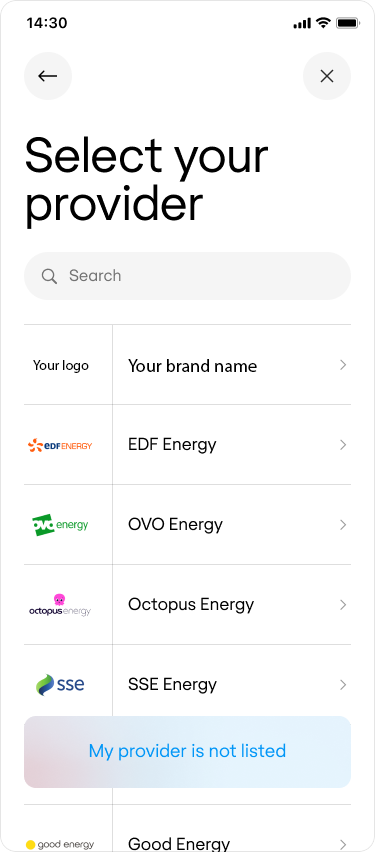
- Upload your logo
- Tick the enable the integration checkbox.
- Click Save
- Provide your Nomos
- Run Connect, and when entering an address in Germany or Austria, your logo should appear on the provider selection page.